
Privacy Setting
Public
Embedding the entire workbook to a web page.
Note: As the spreadsheet comes protected, it requires entering the password to have it displayed.
- Embedding Excel in web page
- Excel stored in OneDrive allows embedding in a web page in share mode.
- Password
- When password is applied, it requires to enter the password every time the page is viewed or refreshed. This is the protection from Excel spreadsheet, and has nothing to do with the web page. It is inconvenient for a web-based presentation.
- Security Protection
- There are 2 levels of security protection, one from system for protection of the page, and one from Excel.
- Height Restriction
- Height of display window need to be specified on the embed code. Different worksheet in a workbook can have different height.
- Advantage
- Data from Excel can be changed or updated, and will also be reflected real-time in the web page. Content provider only require to manage the data on the Excel instead of the additional formatting on the web page.
- Disadvantage
- The Excel will be exposed on a view-only mode (with proper setting) to anyone who get hold of the link.
Image
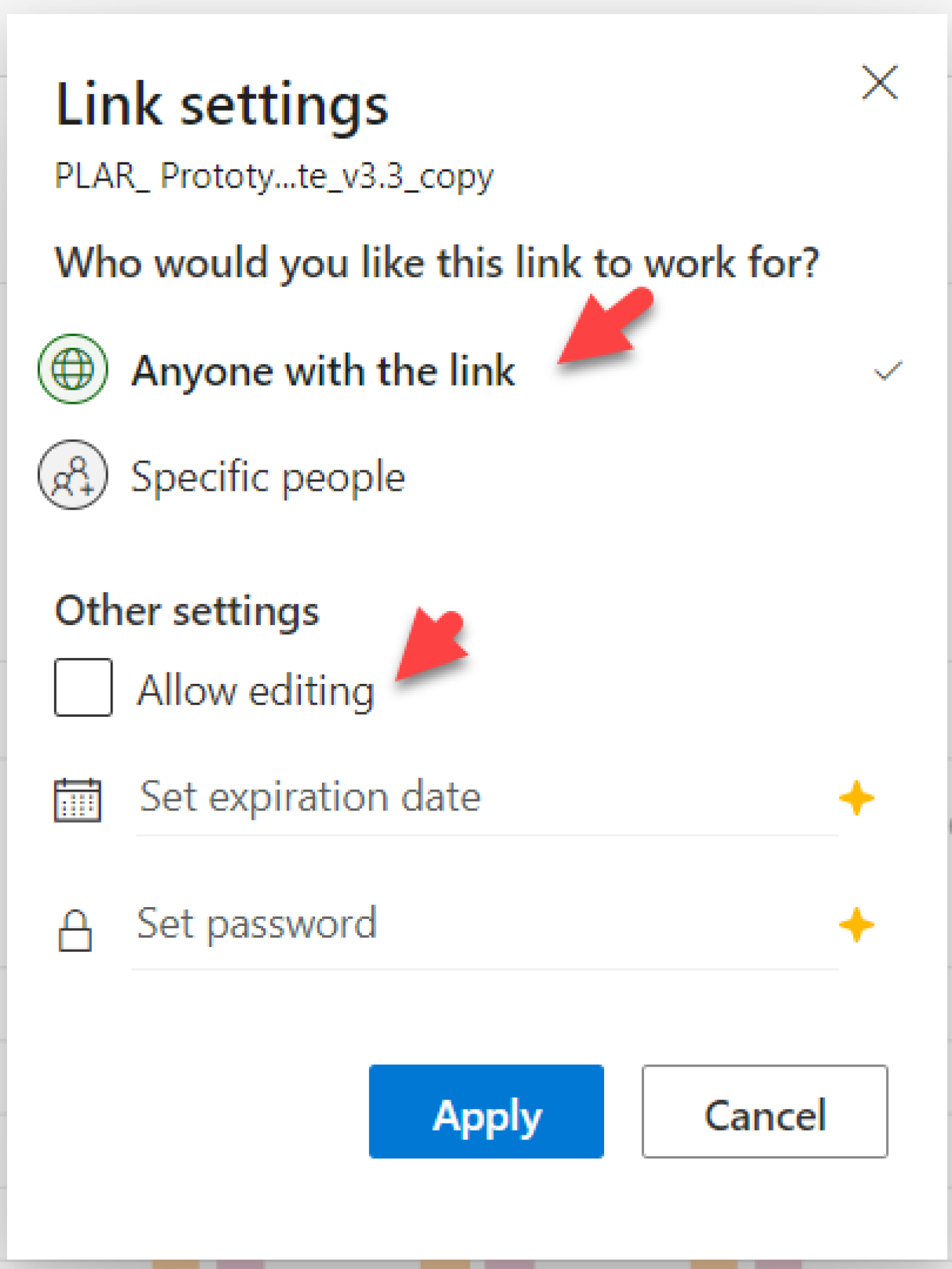
Link setting options in Excel sharing mode
| Anyone with the link | Anyone who get hold of the link can view the Excel workbook |
| Allow editing | Uncheck this to allow View Only |
| Set password | Recommend none unless absolutely necessary |